The thumbnail is real video, not a file’s metadata
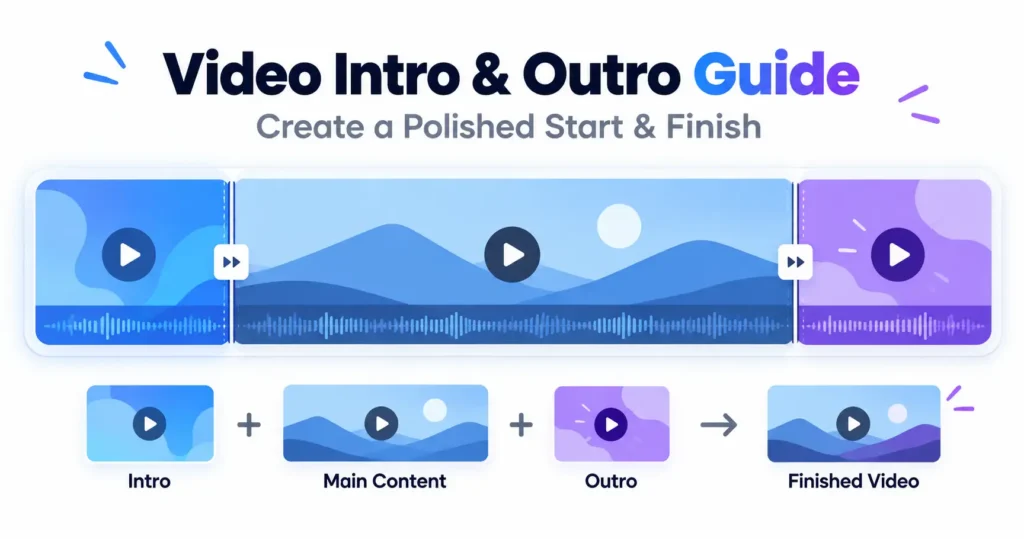
Held-image thumbnails stored as container metadata are unreliable in practice: platform support is inconsistent, and the two places most people mean — YouTube, Instagram — take their thumbnail at upload and ignore whatever the file itself carries. The Add Intro, Outro or Thumbnail holds the chosen image as a couple of seconds of actual video at the very start instead, which plays correctly everywhere because it is not depending on a player to notice it.
An outro at the end, or dropped in at a moment
Left at its default, the outro plays after the main video ends. Given a specific timestamp instead, it splits the main video at that point, plays, and the rest of the main footage resumes afterwards — useful for a mid-roll card without needing a separate cutting step first.
Mismatched pieces are fitted, never stretched
An intro or outro in a different shape from the main video is scaled to fit and the space around it filled with a blurred copy of itself, rather than stretched to force a match. That matters most for an intro, which is usually a logo: cropping to fill would cut its edges away, while filling and stretching would distort it, and neither is what anyone actually wants from a brand mark.
Silence fills whatever has none
A still thumbnail and a silent intro clip both need something written to the audio track for their duration. Without it the audio would finish early relative to the picture, and everything after that point would play out of sync for the rest of the file.
The main video is re-encoded too
Joining pieces together means writing one continuous new file, so the main video is decoded and encoded again along with everything added around it — not just the intro and outro. That costs a small amount of quality, which is unavoidable in a browser regardless of how little the main footage itself needed to change.
Where the sound can go missing
MP4 audio needs the AAC codec, which Firefox cannot encode on any platform and no browser can encode on desktop Linux. The page states this before the run starts. Chrome, Edge and Safari keep the audio.